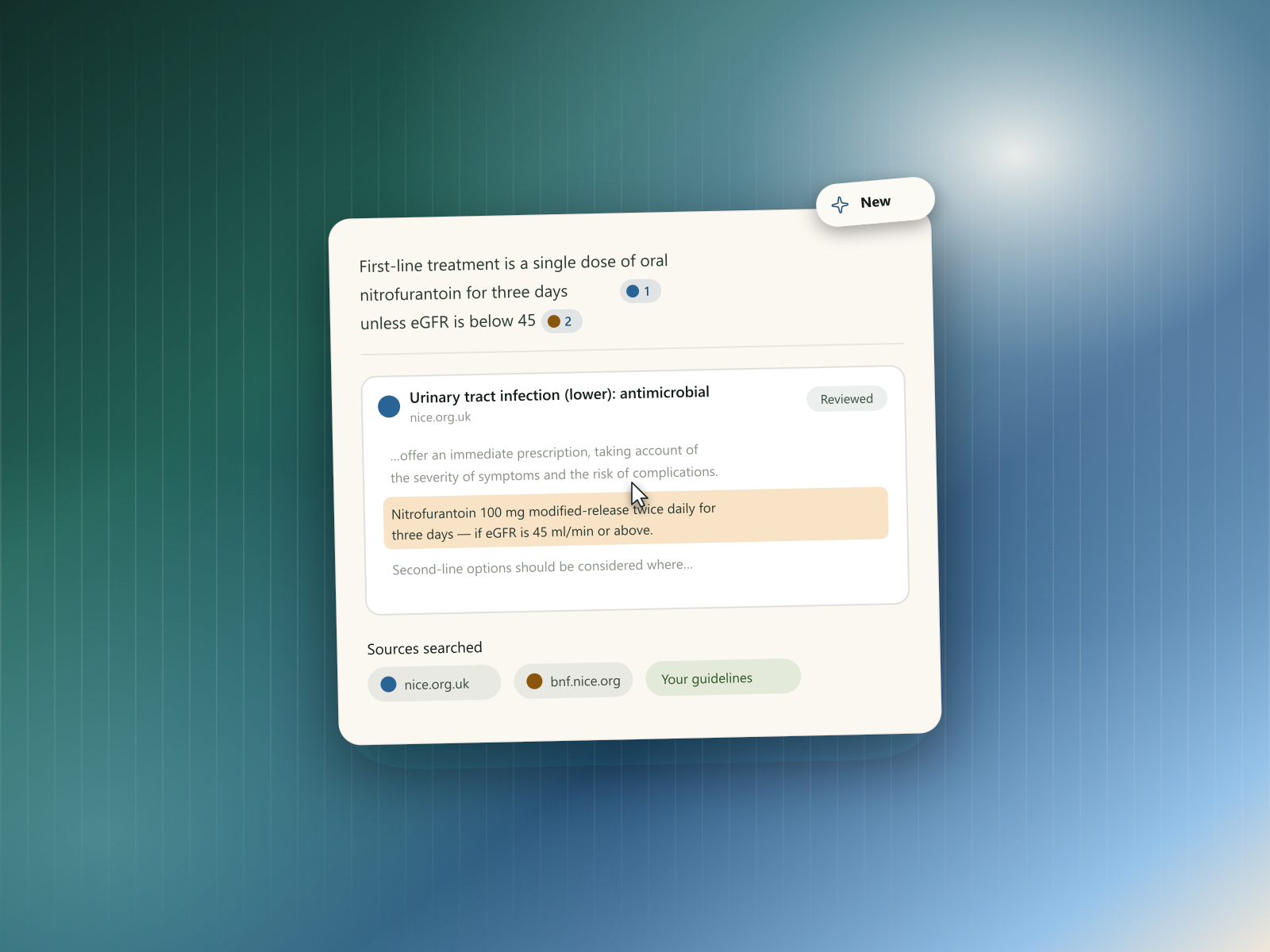
March was about traceability: every claim from the web now points back to the specific passage behind it, and you choose which sources are in play.
Citations, with highlights you can jump to
A link at the end of an answer tells you where it came from in the loosest sense — you still have to open the page and find the bit that mattered. Citations now point at the passage itself.
Every claim carries its source. Answers drawn from the web show inline citations with the source's favicon, so you can tell at a glance which of them is the formulary, which is the guideline body, and which is a journal, without reading the URLs.
Clicking one takes you to the exact passage. The cited text is highlighted in the source and scrolled to, on both desktop and mobile — so verifying a claim is a click rather than a hunt through a long document.
You can tell internal from external at a glance. Guidelines that came from documents you uploaded are labelled separately from open-web sources, which matters when the two disagree. A references panel collects every source behind an answer in one place.
You choose what search can use. A new settings page lets you define which domains web search is allowed to draw on, so answers stay within sources your practice actually accepts.
Default tools & templates, reworked
- Default tools and templates now have their own dedicated page, instead of being mixed in with everything else.
- Overriding a default tool or template was simplified — pin/unpin visibility was cleaned up, and "reset to default" was replaced with a single, clearer delete action.
- Diagnosis lookups can now pull in web search, not just your own reference documents.
- Sources panel wording was clarified, with a tooltip explaining what it's showing.
Fixes & polish
- Fixed sources behaving incorrectly for signed-out users.
- Fixed a bug where editing a generated document could fall out of sync.
- You can now edit a message while Rhazes is gathering information from you, and a space can be unlinked from a chat once you no longer want it in scope.
- Uploads in chat are now capped at 20MB and 200 pages.
- Fixed long links overflowing instead of truncating properly.
- Fixed a layout stutter that could appear while steps were animating in.
- Added a link to Community in the menu.
- Various smaller wording, spacing, and layering fixes across sources, steps, and the terms page.


