July was about what comes out the other end: decks you can present, documents you can trace back to their evidence, and a clearer view of the work in between.
Generate presentations, right from chat
Teaching session, audit presentation, MDT summary — work you've already done, that then has to become slides. Ask Rhazes for a deck and it builds one.
You watch it being planned. Rather than a blank loading state, the outline writes itself in front of you: slide titles stream in as the plan is drafted, then each one ticks off as it's actually built, with a progress bar that tells you how far through it is.
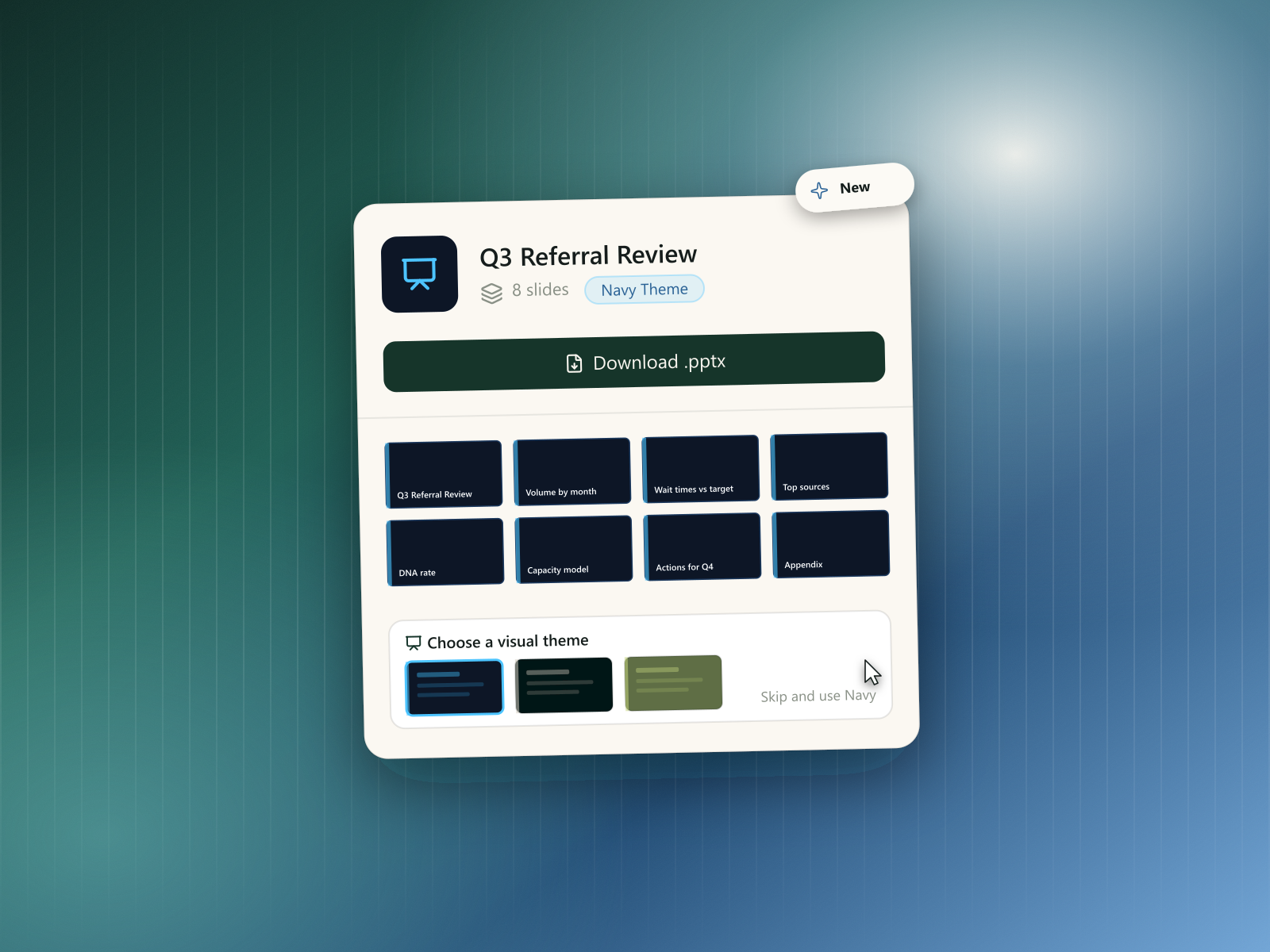
You pick the look, or skip that. Partway through, Rhazes pauses and offers a set of visual themes as small previews of a real slide in each one. Pick the one you want, or skip and it builds with the recommended theme. If you asked for several decks in one go, each gets its own theme picker, and each resumes independently once answered.
What you get back. A finished deck with speaker notes written for each slide, images where they help, and a thumbnail grid of every slide — click any one to inspect it. Download it as a .pptx and it opens in PowerPoint like anything else. If it isn't quite right, ask for changes and Rhazes modifies the slides rather than making you start over.
See the evidence behind a generated document
A generated note is only as trustworthy as your ability to check it. Now every detail in one can be traced back to where it came from.
Documents carry their sources. As a document is generated, its content is linked back to the material it was built from — the patient's notes, files attached to the session, the transcription of the consultation, and data read from their EHR record are all recognised as sources rather than blended into anonymous prose.
Checking a detail is one click. Source chips in the document open an evidence panel showing the specific passage behind that line, so verifying a figure or a claim means glancing at the original rather than re-reading the whole record. EHR-derived evidence links through to the patient's chart.
It tells you when a source wasn't used. If you had a space linked but nothing in it actually contributed to the answer, Rhazes says so — rather than leaving you to assume your reference material was consulted when it wasn't.
Steps, thinking, and key takeaways
- The Steps panel now spotlights the latest active step, with an option to expand and see more, instead of a long list of everything at once.
- You can see Rhazes's thinking for whichever step is currently active.
- Long answers now end with a short key-takeaways summary.
- Smoother, less jittery animations throughout steps and thinking.
Dictation & transcription, refreshed
- Transcription states have clearer wording and tooltips, so it's obvious what stage a recording is at.
- You can now download a draft audio recording before it's transcribed.
- Long recordings are now kept in full, fixing false "failed" states that could show up partway through.
- Audio uploads now also accept the WebM format.
- Smoother visual transitions on the transcription card.
Redesigned cards and an app-wide consistency pass
- Patient, space, template, and tool cards now share one consistent design.
- Navigation, error messages, and empty states were reviewed and made consistent across the app.
- Pagination controls are now fully usable from the keyboard.
- Clearer prompts to upgrade appear once you've used up a plan's limits, instead of a feature just silently stopping — and a timer in the navbar now tells you when your limit resets, so you know whether to wait or upgrade.
- Share recipients (view-only) can now read the full history of a shared chat.
Fixes & polish
- Fixed interrupted or dropped responses not recovering cleanly when you came back to a conversation.
- Fixed a transient error banner flashing while navigating back to a chat.
- Fixed "Use Space" not working when triggered from inside the space itself.
- Fixed reference document upload errors not showing the actual reason for the failure.
- Your current app version is now shown in settings, which helps when reporting an issue.


